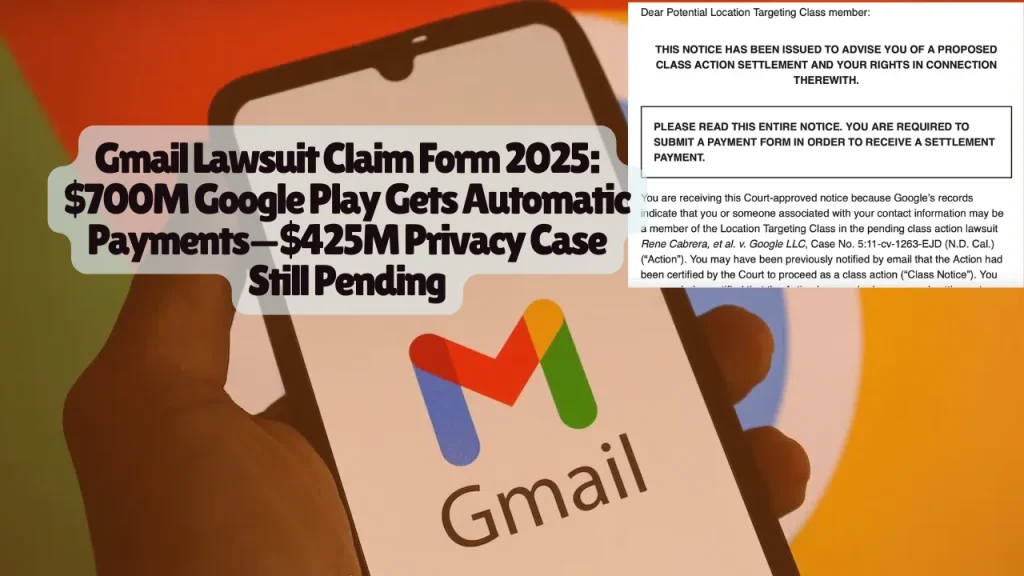
Gmail Lawsuit Claim Form 2025: $700M Google Play Gets Automatic Payments—$425M Privacy Case Still Pending
CLAIM FORM ALERT: Google Play Store users get automatic payments starting December 2025 from $630M settlement—NO claim form needed for most users. The separate $425M Gmail privacy verdict remains under appeal with NO claim form available yet. A third AI privacy lawsuit filed November 2025 could affect every Gmail user. Here’s exactly who qualifies, critical deadlines, and how to claim your money.
🚨 ACTIVE CLAIM FORM: Google Play Store Settlement ($630M) – AUTOMATIC PAYMENTS DECEMBER 2025
Who Can Claim Google Play Settlement Money
Eligibility Requirements:
- You live in the United States
- You made purchases on Google Play Store between August 2016 and September 2023
- You bought apps, in-app content, or subscriptions through Google Play Billing
Estimated Class Size: Tens of millions of U.S. consumers
Payment Amount: Minimum $2 per person, actual amount depends on your purchase history
Critical Deadlines for Google Play Settlement
| Date | Action |
| December 2, 2025 | Notices began going out via email/text |
| February 19, 2026 | DEADLINE to opt out or object |
| April 30, 2026 | Final approval hearing |
| After April 30, 2026 | Automatic payments distributed |
How to Claim Google Play Settlement Money (NO FORM NEEDED FOR MOST)
AUTOMATIC PAYMENT (No Action Required):
Most eligible consumers receive payments automatically through PayPal or Venmo:
Step 1: Check your email or phone for notice from settlement administrator starting December 2, 2025
Step 2: Payment sent automatically to the email address or mobile phone number associated with your Google Play account
Step 3: If that email/phone matches a PayPal or Venmo account, money deposits directly
Step 4: If no PayPal/Venmo account exists, you receive instructions to create one or redirect payment
SUPPLEMENTAL CLAIMS PROCESS (Only If Needed)
You need the supplemental claims process ONLY if:
- You no longer have access to the email or phone number linked to your Google Play account
- You expected a payment but didn’t receive one
- Your account information needs updating
How to Submit Supplemental Claim:
Visit the official settlement website (check state attorney general announcements for verified URL)
Provide:
- Your name
- Current email address
- Current mobile phone number
Submit request to be notified when supplemental claims process opens
Important: The supplemental claims process opens AFTER the initial automatic payment wave
Google Play Settlement Background
Case: State Attorneys General v. Google LLC (Multistate Investigation)
Allegations:
- Google unlawfully monopolized Android app distribution
- Google unlawfully monopolized in-app payment processing
- Google forced developers to use Google Play Billing
- Google charged consumers up to 30% fees on app purchases and in-app content
- Google cut deals to keep rival app stores off Android devices
Settlement Terms:
- $630 million to consumers
- $70 million in state penalties
- Google already deposited full amount into settlement fund
Participating States: All 50 states plus Puerto Rico and U.S. Virgin Islands led by attorneys general coalition
State-by-State Google Play Settlement Allocation
Some states announced estimated payouts to their residents:
- Indiana: $10.5 million to Hoosier consumers
- Massachusetts: Over $1.4 million in penalties to the state
- New York: Substantial portion of $630M consumer fund
- California: Substantial portion of $630M consumer fund
Check your state attorney general website for state-specific information.
Related article: T-Mobile Class Action Lawsuits 2024-2025: Everything You Need to Know About Claims, Settlements & Updates
⏳ PENDING: Rodriguez Gmail Privacy Lawsuit ($425M Verdict) – NO CLAIM FORM YET
Rodriguez Settlement Status: Under Appeal – No Payments Available
Current Status: Jury awarded $425.7 million in September 2025, but Google is appealing
NO CLAIM FORM EXISTS: Any website claiming you can file claims now is a SCAM
Estimated Timeline: 2-4 years before any payments if appeal fails
Who Qualifies for Rodriguez $425M Verdict
Class 1 – Invasion of Privacy / Intrusion Upon Seclusion (Nationwide):
You qualify if:
- You had a non-enterprise, non-supervised Google account
- You turned off “Web & App Activity” (WAA) OR “Supplemental Web & App Activity” (sWAA) at ANY time between July 1, 2016 and September 23, 2024
- Google still collected your data from third-party apps despite disabled settings
Class 2 – California Computer Data Access and Fraud Act:
- Same requirements as Class 1
- Limited to California residents only
- NOTE: Jury rejected this claim, so Class 2 gets no damages
Estimated Class Size: 98 million Google account holders
Current Award: Approximately $4 per person ($425.7M ÷ 98M users)
Potential Increased Award: Plaintiffs seek $2.36 billion (approximately $24 per person)
Critical Deadline for Rodriguez Case
| Date | Action |
| February 20, 2026 | DEADLINE to exclude yourself (opt out) |
| Unknown (Pending Appeal) | Claim forms released IF appeal fails |
| 2027-2029 (Estimated) | Potential payments if all appeals exhausted |
How to Exclude Yourself from Rodriguez Lawsuit
Why Opt Out: To pursue your own individual lawsuit against Google for potentially higher damages
How to Opt Out:
Send written request by mail stating you want to be excluded from Rodriguez v. Google LLC
Include:
- Your name
- Address
- Telephone number
- Email address
- Your signature
Mail postmarked by February 20, 2026 to:
Rodriguez v. Google
P.O. Box 2749
Portland, OR 97208-2749
Warning: If you opt out, you cannot receive any class settlement money. Only opt out if you plan to file your own lawsuit.
What the Rodriguez Lawsuit Claims
Allegations Against Google:
Google misrepresented its “Web & App Activity” privacy control by:
- Continuing to collect data from non-Google apps even when users disabled WAA
- Tracking users across 70% of websites through Google Analytics regardless of privacy settings
- Saving and using app activity information without consent
- Creating a “fake button” that didn’t actually stop data collection
Evidence Presented at Trial:
- 2018 Congressional testimony from CEO Sundar Pichai claiming users controlled their data
- Internal Google communications showing company knew users were confused
- User surveys revealing widespread misunderstanding about privacy controls
Jury Findings:
- Google invaded privacy: YES (liable)
- Google intruded upon seclusion: YES (liable)
- Google violated California Computer Data Access and Fraud Act: NO (not liable)
- Google acted with malice/oppression/fraud: NO (no punitive damages)
Rodriguez Lawsuit Current Proceedings
September 3, 2025: Jury returned $425.7 million verdict
October 2025: Google filed post-trial motions to:
- Vacate the entire verdict
- Decertify the class
- Order new trial
November 2025: Plaintiffs filed motion seeking $2.36 billion disgorgement of Google’s profits from unlawfully collected data
Current Stage: Court must rule on post-trial motions before any payments possible
Appeal Timeline Scenarios:
Best Case for Class Members:
- Court denies Google’s motions (3-6 months)
- Ninth Circuit appeal (12-18 months)
- Claims process opens
- Payments within 90 days of final approval
- Total: 2-3 years
Worst Case for Class Members:
- Google succeeds in vacating verdict
- Supreme Court appeal (1-2 additional years)
- Settlement negotiations or new trial
- Total: 4-6+ years
How to Check If You’re a Rodriguez Class Member
Step 1: Determine if you had a Google account between July 1, 2016 and September 23, 2024
Step 2: Check if you ever disabled Web & App Activity:
- Go to myactivity.google.com
- Click “Activity controls”
- Look at “Web & App Activity” history
- If you ever paused it during the class period, you likely qualify
Step 3: Confirm your account type:
- Personal Gmail accounts: INCLUDED
- Google Workspace for Education: INCLUDED if personal use
- Enterprise accounts: EXCLUDED
- Supervised accounts for children under 13: EXCLUDED
Step 4: Monitor official lawsuit website:
- GoogleWebAppActivityLawsuit.com
- Call settlement administrator: 1-855-822-8821
- Email class counsel: [email protected]
🆕 NEW LAWSUIT: Gemini AI Gmail Scanning (Filed November 2025) – NO SETTLEMENT YET
Gemini AI Lawsuit Status: Early Stage Litigation
Filing Date: November 11, 2025
Case: Thele v. Google LLC, Case No. 5:25-cv-09704 (N.D. Cal.)
Current Status: Complaint filed, NO class certification, NO settlement, NO claim form
Estimated Timeline: 3-5 years to potential settlement
What the Gemini AI Lawsuit Claims
Allegations: Google secretly activated Gemini AI assistant across Gmail, Chat, and Meet in October 2025, giving AI access to scan all private communications without user consent
Before October 10, 2025:
- Gemini Smart Features were OPT-IN
- Users had to affirmatively enable AI assistance
After October 10, 2025:
- Google allegedly activated Smart Features BY DEFAULT for all users
- No notice provided
- No consent requested
Data Allegedly Accessed by Gemini AI:
- Every email and attachment
- Every chat message
- Every video conference
- Financial information and records
- Medical information
- Religious and political affiliations
- Family and contact identities
- Social habits and relationships
Who May Qualify for Gemini AI Lawsuit
Proposed Class: Anyone in the United States with a Google account whose Gmail, Chat, and Meet messages were tracked by Gemini AI after Smart Features were enabled in privacy settings on or about October 10, 2025
Eligibility Requirements:
- Had Gmail, Google Chat, or Google Meet account
- Smart Features were enabled automatically on/after October 10, 2025
- Did NOT previously opt-in to enable Gemini AI features
How to Check Your Gemini AI Settings NOW
Step 1 – Access Gmail Settings:
- Open Gmail
- Click gear icon (Settings) in upper right
- Select “See all settings”
- Navigate to “General” tab
Step 2 – Locate Smart Features:
- Scroll down to “Smart Features and Personalization”
- Check if “Smart features and personalization in other Google products” is enabled
Step 3 – Document and Disable:
- Take screenshot showing current settings
- Note the date
- Uncheck the box to disable if unwanted
- Click “Save Changes”
CRITICAL: Take screenshots NOW showing when Smart Features were enabled. This documentation could be crucial evidence if this lawsuit proceeds to settlement.
Legal Claims in Gemini AI Lawsuit
California Invasion of Privacy Act (CIPA) Section 632: Prohibits recording confidential communications without all-party consent
Stored Communications Act (18 U.S.C. § 2701): Federal law prohibiting unauthorized access to stored electronic communications
Intrusion Upon Seclusion: Common law tort protecting against intentional intrusion into private affairs
Other Active Google Settlements and Deadlines
Illinois Students Google Education BIPA Settlement – DEADLINE PASSED
Settlement Amount: $8.75 million
Final Approval: October 17, 2025
Claim Deadline: October 16, 2025 (EXPIRED)
Payment Amount: Estimated $30-$100 per claimant
Eligible Class: Illinois residents who had voice/face models created in Google Workspace for Education between March 26, 2015 and May 15, 2025
Payment Timeline: Within 90 days of final approval (early 2026)
Status: If you filed before October 16, 2025, wait for payment. If you missed deadline, you cannot claim.
YouTube Children’s Privacy Settlement
Settlement Amount: $30 million
Claim Deadline: January 21, 2026
Final Approval Hearing: January 13, 2026
Eligible Class: YouTube users who were under 13 years old between July 1, 2013 and April 1, 2020 and watched content directed to children
How to File: Visit official settlement website (announced via court notices)
Required Information:
- Proof of age (birth certificate, government ID)
- YouTube account information
- Parent/guardian consent if still under 18
Consumer Protection Laws Governing Gmail Privacy Disputes
Federal Privacy Statutes
Stored Communications Act (18 U.S.C. § 2701-2712): Prohibits intentional unauthorized access to electronic communications while in storage
Federal Trade Commission Act Section 5 (15 U.S.C. § 45): Prohibits unfair or deceptive acts or practices affecting commerce
Children’s Online Privacy Protection Act (COPPA): Requires parental consent before collecting personal information from children under 13
California Privacy Statutes
California Invasion of Privacy Act (CIPA) – Penal Code § 632: Prohibits recording confidential communications without consent of all parties
California Consumer Privacy Act (CCPA) – Civil Code § 1798.100 et seq.: Provides California residents rights to:
- Know what personal information is collected
- Delete personal information
- Opt-out of sale of personal information
- Non-discrimination for exercising rights
California Constitutional Right to Privacy (Article I, Section 1): Establishes inalienable right to privacy protecting personal information from unauthorized collection
California Computer Data Access and Fraud Act (Penal Code § 502): Prohibits unauthorized computer access and data theft
State Consumer Protection Acts
All 50 states maintain consumer protection statutes prohibiting:
- False and misleading advertising
- Deceptive trade practices
- Unfair business methods
- Material omissions in consumer transactions
Similar Google Privacy Settlements – What They Paid
Chrome Incognito Mode Settlement (2024)
Settlement Value: Up to $5 billion estimated value
Payout Structure: NO cash payments to consumers
Settlement Terms: Google agreed to delete billions of data records and make practice changes
What This Means: Not all settlements result in cash payments—some only require behavior changes
Google Location History Settlement (2022)
Settlement Amount: $391.5 million to 40 states
Distribution: Funds went to states, not individual consumers
Allegations: Misleading users about location tracking practices when Location History was disabled
Facebook Cambridge Analytica Settlement (2023)
Settlement Amount: $725 million
Per-Person Payment: $30-$400 depending on claim volume
Claim Period: 6 months to file claims
Timeline: 8 months from final approval to payments
Yahoo Data Breach Settlement (2020)
Settlement Amount: $117.5 million
Per-Person Payment: $100-$358 per claimant
Eligible Class: 3 billion affected accounts
Timeline: 18 months from settlement to payments
What Legal Experts Say About Gmail Privacy Cases
Privacy attorney David Boies, representing Rodriguez plaintiffs, told the jury: “This case is about Google breaking its promise to users that they had control over their data” while presenting internal documents showing Google knew users were confused about privacy settings.
The Rodriguez jury foreperson explained after the verdict: “The average user is probably not a reader, the average user is probably a skimmer” emphasizing that “consent language should be a little more obvious.”
Professor Emily Rosen, privacy law expert: “These settlements reinforce the idea that tech tools can’t operate in a legal vacuum. Even helpful technologies must meet strict privacy rules.”
Attorney Jessica Chen specializing in tech class actions: “The Gemini AI lawsuit represents the cutting edge of AI privacy litigation. How courts handle claims about AI scanning private communications will shape the future of AI integration in consumer products.”
Professor Michael Torres, constitutional law: “California’s 1967 Invasion of Privacy Act prohibiting wiretapping is now being applied to modern AI surveillance. This creates uncertainty about which AI practices are legally permissible.”
How to Protect Your Gmail Privacy Right Now
While litigation proceeds, Gmail users should take immediate protective steps:
Review All Privacy Settings
Web & App Activity:
- Visit myactivity.google.com
- Click “Activity controls”
- Review and adjust “Web & App Activity” setting
- Consider pausing if you want to limit tracking
Smart Features and Personalization:
- Gmail Settings → “See all settings” → “General” tab
- Scroll to “Smart Features and Personalization”
- Uncheck “Smart features and personalization in other Google products” to disable Gemini AI scanning
Ad Personalization:
- Visit adssettings.google.com
- Turn off ad personalization
- Review and delete advertising ID
Location History:
- Visit myactivity.google.com/activitycontrols
- Review “Location History” setting
- Delete location history if desired
YouTube History:
- Visit myactivity.google.com/activitycontrols
- Review “YouTube History” setting
- Pause or delete if desired
Enable Two-Factor Authentication
Add security layer protecting against unauthorized account access:
- Visit myaccount.google.com/security
- Enable “2-Step Verification”
- Use authenticator app rather than SMS when possible
Consider Privacy-Focused Alternatives
Email Services with End-to-End Encryption:
- ProtonMail (Switzerland-based, zero-access encryption)
- Tutanota (Germany-based, full encryption)
- StartMail (Netherlands-based, private email)
Privacy Browser Extensions:
- Privacy Badger (blocks trackers)
- uBlock Origin (blocks ads and trackers)
- HTTPS Everywhere (forces secure connections)
- DuckDuckGo Privacy Essentials (blocks trackers)
Regularly Review Account Activity
Check “My Activity” Dashboard:
- Visit myactivity.google.com
- Review what data Google collects
- Delete specific activities or entire history
- Set auto-delete periods (3, 18, or 36 months)
Review Security Checkup:
- Visit myaccount.google.com/security-checkup
- Check for suspicious devices
- Review third-party app access
- Update recovery information
Red Flags: Gmail Lawsuit Settlement Scams
Scammers exploit high-profile lawsuits. Protect yourself:
Warning Signs of Scams
🚩 Websites claiming you can file Rodriguez claims now – NO legitimate claim form exists yet
🚩 Requests for upfront fees – Legitimate settlements NEVER charge filing fees
🚩 Emails requesting bank account numbers – Settlement administrators only use PayPal/Venmo or checks
🚩 Pressure to “act now before deadline” – Real settlements provide months of notice
🚩 Guarantees of specific payment amounts – Amounts vary by claims filed and court approval
🚩 Unverified websites – Only trust URLs from court documents and state attorney general announcements
How to Verify Legitimate Settlement Information
Check Official Sources Only:
- Court dockets on PACER.gov
- State attorney general websites (.gov domains)
- Settlement administrator websites listed in court orders
For Google Play Settlement:
- Check your state attorney general website
- Look for official announcements from state AG offices
- Verify settlement administrator contact information
For Rodriguez Case:
- GoogleWebAppActivityLawsuit.com (official settlement website)
- Call 1-855-822-8821 (official administrator phone)
- Check case docket: Rodriguez v. Google LLC, Case No. 3:20-cv-04688 (N.D. Cal.)
Red Flags in Communications:
- Grammar and spelling errors
- Generic greetings (“Dear User” instead of your name)
- Suspicious sender email addresses
- Links to unfamiliar websites
Frequently Asked Questions
Can I file a Gmail lawsuit claim form right now?
Google Play Settlement: Most users receive automatic payments—no form needed. Supplemental claims process opens after initial payments for users needing to update information.
Rodriguez Case: NO. The case is under appeal. Any website claiming you can file now is a scam. Payments cannot occur until all appeals are exhausted (2-4 years estimated).
Gemini AI Case: NO. The lawsuit was just filed in November 2025. No class certification exists yet. Timeline is 3-5 years to potential settlement.
How much money will I receive from Gmail lawsuits?
Google Play: Minimum $2, actual amount depends on your purchase history and total claims filed
Rodriguez: Current award is ~$4 per person, but plaintiffs seek to increase to ~$24 per person. Final amount depends on appeals outcome.
Gemini AI: Unknown—no settlement exists yet
Do I need a lawyer to file claims?
No. All settlements allow individuals to file claims directly without legal representation. Class counsel handles the litigation on behalf of all class members.
Will opting out of Rodriguez get me more money?
Only opt out if you have an exceptionally strong individual case worth significantly MORE than the class payout. Individual lawsuits require:
- Hiring your own attorney (expensive)
- Years of litigation
- Risk of losing entirely
- Burden of proof
Most class members should stay in the class action.
Can I be in multiple Google settlements at once?
Yes. The Google Play settlement, Rodriguez case, and Gemini case involve different legal claims and time periods. You can qualify for all three if you meet each settlement’s eligibility requirements.
How do I know if Smart Features were enabled in my Gmail?
Check now:
- Gmail Settings → “See all settings”
- “General” tab
- Scroll to “Smart Features and Personalization”
- Look for checked box
Take a screenshot immediately for documentation.
What if I deleted my Google account?
Google Play: If your account existed during the class period (2016-2023) and the settlement administrator has your information, you may still receive payment.
Rodriguez: You’re still a class member if you had an account during the class period (2016-2024) with WAA disabled. If settlement occurs, administrators will attempt to locate you.
Will Google fire me or ban my account for joining the lawsuit?
No. Federal and state laws prohibit retaliation against class action participants. Additionally, in class actions, you’re automatically included unless you opt out—Google doesn’t know who individual class members are until claims are filed.
Can I get more than my share by filing multiple claims?
No. That’s fraud. Settlement administrators verify claims and detect duplicate submissions. Filing fraudulent claims can result in criminal prosecution.
What if I moved or changed my email since 2016?
Google Play: Use the supplemental claims process to update your contact information when it opens.
Rodriguez: When/if claim forms become available, provide your most current contact information. The settlement administrator will verify your eligibility through Google’s records.
Are enterprise Google accounts included?
Rodriguez: NO. Enterprise accounts (Google Workspace for businesses) are excluded.
Gemini AI: Likely included, but class definition pending court certification.
Google Play: YES if you made personal purchases through the Play Store.
Does this affect my Gmail account or service?
No. Participating in class actions or receiving settlements does not affect your Google account access or services.
When should I check for updates?
Google Play: Check email/phone for notices starting December 2025. Payments come automatically after April 30, 2026 final approval.
Rodriguez: Check GoogleWebAppActivityLawsuit.com monthly for appeal status updates.
Gemini AI: Check quarterly for class certification news. Major developments unlikely until late 2026.
Can I object to the settlements?
Google Play: Deadline to object is February 19, 2026. File written objection explaining why the settlement is unfair.
Rodriguez: No settlement exists yet to object to. If Google settles on appeal, objection process will be announced.
What happens to unclaimed settlement money?
Depends on settlement terms. Options include:
- Distributed proportionally to those who filed claims
- Donated to privacy-focused nonprofits (cy pres distribution)
- Revert to defendant (rare)
- Kept by states for consumer protection enforcement
Official Resources and Contact Information
Google Play Settlement
Official Settlement Information: Check your state attorney general website
Key States’ Announcements:
- New York: ag.ny.gov
- Massachusetts: mass.gov
- California: oag.ca.gov
- All participating state AG offices
General Inquiries: Contact your state attorney general’s consumer protection division
Rodriguez v. Google LLC Case
Official Website: GoogleWebAppActivityLawsuit.com
Settlement Administrator Phone: 1-855-822-8821
Class Counsel Email: [email protected]
Mailing Address:
Rodriguez v. Google
P.O. Box 2749
Portland, OR 97208-2749
Court Case: Rodriguez et al. v. Google LLC, Case No. 3:20-cv-04688 (N.D. Cal.)
Opt-Out Deadline: February 20, 2026
Gemini AI Lawsuit (Thele v. Google)
Court Case: Thele v. Google LLC, Case No. 5:25-cv-09704 (N.D. Cal.)
Plaintiff’s Attorneys: Ahdoot & Wolfson P.C.
Status: No settlement administrator appointed yet
Check For Updates: Monitor court docket on PACER.gov or via legal news sources
Illinois Students Google Education BIPA Settlement
Status: Claim deadline passed (October 16, 2025)
If You Filed: Payments expected early 2026
Case: H.K. et al. v. Google LLC, Case No. CC 20LL00017 (Circuit Court of McDonough County, IL)
YouTube Children’s Privacy Settlement
Claim Deadline: January 21, 2026
Final Approval Hearing: January 13, 2026
More Information: Check settlement administrator website announced via court notices
Consumer Protection Agencies
Federal Trade Commission:
- Website: ftc.gov/complaint
- Phone: 1-877-FTC-HELP (1-877-382-4357)
- File complaints about deceptive practices
State Attorneys General:
- Find your state: naag.org
- File complaints with state consumer protection divisions
Consumer Financial Protection Bureau:
- Website: consumerfinance.gov
- Phone: 1-855-411-2372
- Submit complaints about financial products/services
Privacy Rights Clearinghouse:
- Website: privacyrights.org
- Free privacy resources and complaint assistance
Take Action: Next Steps for Gmail Users
Immediate Actions (Do Today)
✅ Check your Gmail Smart Features settings and screenshot them
✅ Review your Web & App Activity history at myactivity.google.com
✅ Enable two-factor authentication on your Google account
✅ Sign up for email notifications about Google Play settlement at your state AG website
Short-Term Actions (This Week)
✅ Review all Google privacy settings and adjust to your comfort level
✅ Delete unnecessary Google activity history at myactivity.google.com
✅ Set auto-delete periods for activity data (3, 18, or 36 months)
✅ Research privacy-focused email alternatives if you want to switch
Long-Term Monitoring (Monthly)
✅ Check Rodriguez case status at GoogleWebAppActivityLawsuit.com
✅ Monitor state attorney general announcements about Google settlements
✅ Review Google account security checkup at myaccount.google.com/security-checkup
✅ Stay informed about tech privacy litigation through legal news sources
This article provides legal information about Gmail lawsuit claim forms and Google settlements. It does not constitute legal advice. Consumers with specific concerns should consult qualified attorneys in their jurisdictions. Settlement terms and deadlines are subject to court approval and may change.
Last Updated: December 23, 2025
About the Author

Sarah Klein, JD, is a licensed attorney and legal content strategist with over 12 years of experience across civil, criminal, family, and regulatory law. At All About Lawyer, she covers a wide range of legal topics — from high-profile lawsuits and courtroom stories to state traffic laws and everyday legal questions — all with a focus on accuracy, clarity, and public understanding.
Her writing blends real legal insight with plain-English explanations, helping readers stay informed and legally aware.
Read more about Sarah